Integrating ControlMySpa to Home Assistant
I have a Novitek hot tub with a Balboa ControlMySpa Wi-Fi controller. I wanted to add some intelligence to its heating schedule, especially with volatile electricity prices. The Balboa integration I found supported an older controller, not ControlMySpa. ControlMySpa has an Amazon Alexa integration, but it is fairly basic and did not meet my needs.
I found a Node.js library that uses the same undocumented API as the ControlMySpa app and provides a useful API. It had not had commits for a few years, but it still worked. I do not usually write JavaScript, and my first attempt was an unstable hack. That fall I revisited it, rewrote it, and published ControlMySpa MQTT integration to Home Assistant.
The integration uses Home Assistant MQTT discovery to create entities automatically. I run Home Assistant in a standalone Docker container, so I cannot use Home Assistant add-ons directly. The integration is also a standalone container: it connects to the MQTT broker configured for Home Assistant. A contributor later adapted it into a Home Assistant add-on, though I have not tested that setup.
The example below assumes Home Assistant runs in standalone Docker mode and already uses an MQTT broker such as Mosquitto:
version: "3.4"
services:
  mqtt:
    image: eclipse-mosquitto
    volumes:
      - ./mosquitto/config.conf:/mosquitto/config/mosquitto.conf
  controlmyspa-ha-mqtt:
    image: mikakoivisto/controlmyspa-ha-mqtt:latest
    links:
      - mqtt
    env_file:
      - docker.env
I build and publish the controlmyspa-ha-mqtt Docker image to Docker Hub on every commit. You can use latest or pin the image to a commit hash. latest can break, but it is the version I run, so I usually fix issues as soon as I find them.
The container is configured through docker.env (or the environment section in Compose). Set the MQTT connection details and your ControlMySpa credentials:
MQTTHOST=mqtt
MQTTPORT=
MQTTUSER=
MQTTPASS=
CONTROLMYSPA_USER=
CONTROLMYSPA_PASS=
CONTROLMYSPA_CELSIUS=true
HASSTOPIC=homeassistant/status
DEBUG=app:info,*:error,spa:info
With the configuration in place, Home Assistant should show a thermostat and sensors like these, and list them under MQTT devices.
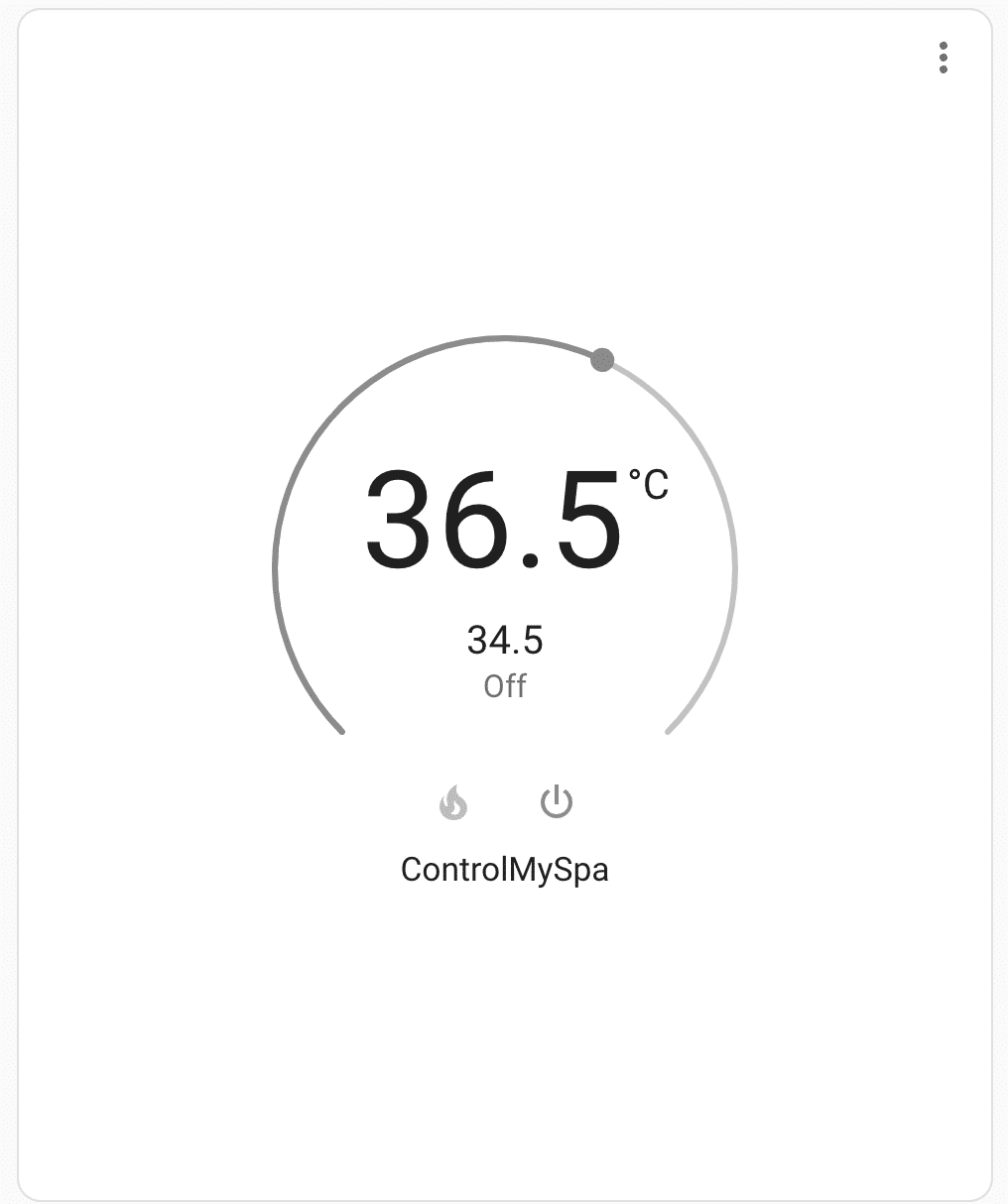
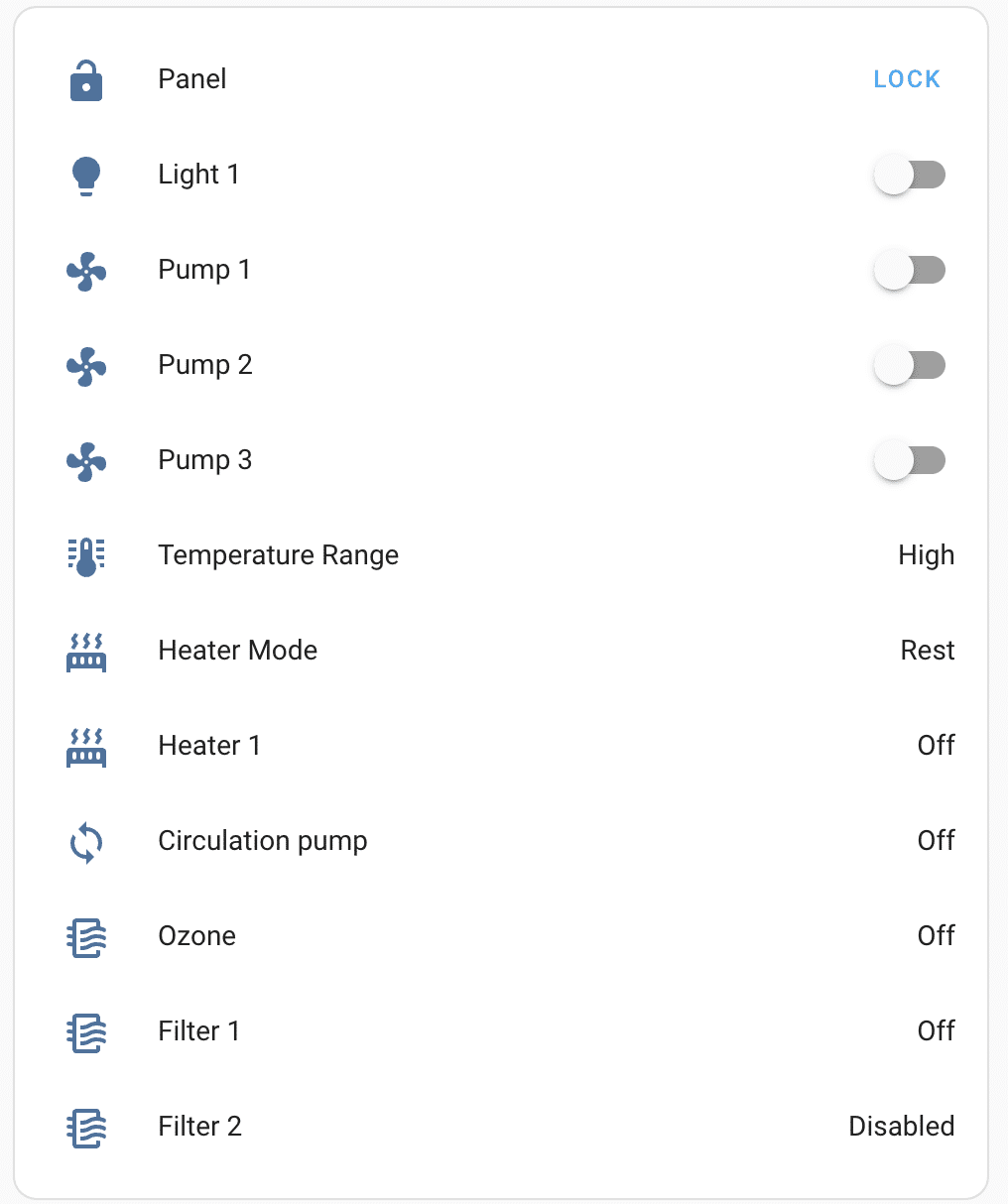
The thermostat buttons both toggle between Rest and Ready, regardless of which button you press. ControlMySpa can also be slow to react, so the thermostat may appear unresponsive. When the spa is in Rest mode, ControlMySpa stops reporting temperature, so the displayed value may be out of date. I use a RuuviTag Pro in the spa for a more accurate temperature reading.
I hope you find the integration useful. Improvements are welcome, especially to the add-on support, which was contributed by someone else and which I cannot test myself. Please open an issue or pull request on GitHub.